14 Days Free Trial

Native Salesforce CTI & WhatsApp Business Calling

No integrations. No syncing. No devs.
Just calls, logging, and control — directly in your Salesforce org.

Native Salesforce CTI & WhatsApp Business Calling

No integrations. No syncing. No devs.
Just calls, logging, and control — directly in your Salesforce org.

Call Back in Seconds.
Win the Deal Before Anyone Else.

Speed-to-lead is the #1 driver of deal conversion — and now, it’s built directly into Salesforce.

78% buy from
first caller

With DialForce, your team calls back in seconds — from inside Salesforce.


360% Increase in
close rate

When leads are called within the first minute, close rates skyrocket.


$1M lost to
slow follow-up

CTIs with sync issues cost pipeline. Native voice stops the leak.


Everything You Need to Run a Contact Center in Salesforce

From live calls to detailed reports, manage it all without leaving Salesforce.

All-in-One Smart Panel

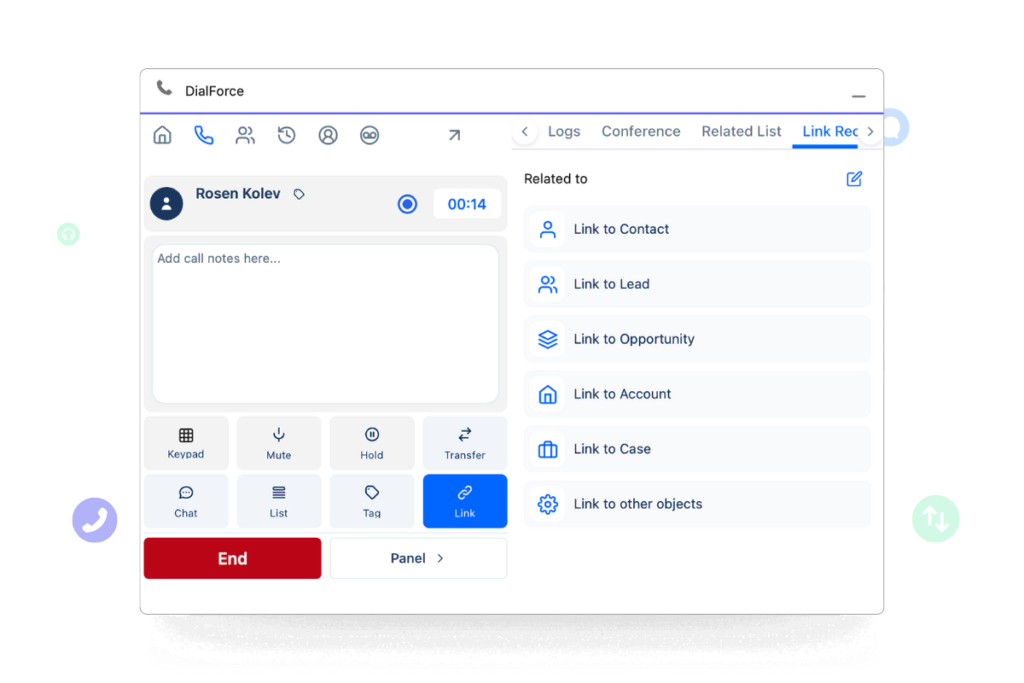
Give reps everything they need in one Pannel without switching the multiple tabs. Calls, transfers, recordings, and messages are tied to the right lead, case, or opportunity.

Salesforce in-call panel showing transfer options, notes, SMS/MMS, and related record linking.

The Right Agent, Every Time

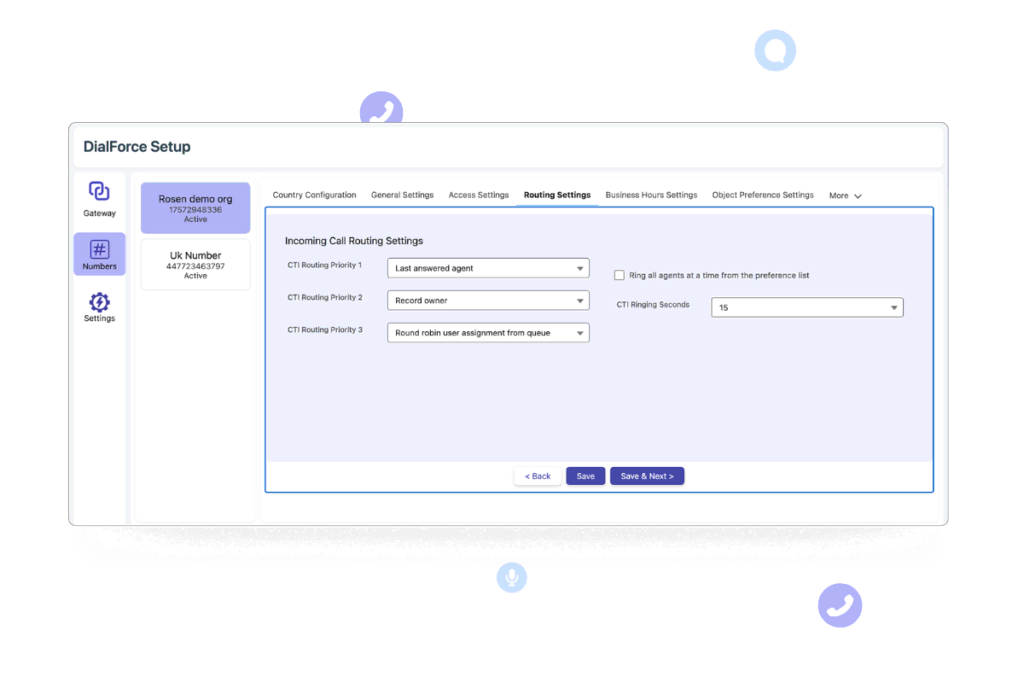
Route calls by skills, queues, record ownership, last answered agent, or round robin assignment. Business hours and offline settings ensure customers always reach support.

Salesforce routing configuration screen showing priority options for call handling.

Built for Salesforce Admins

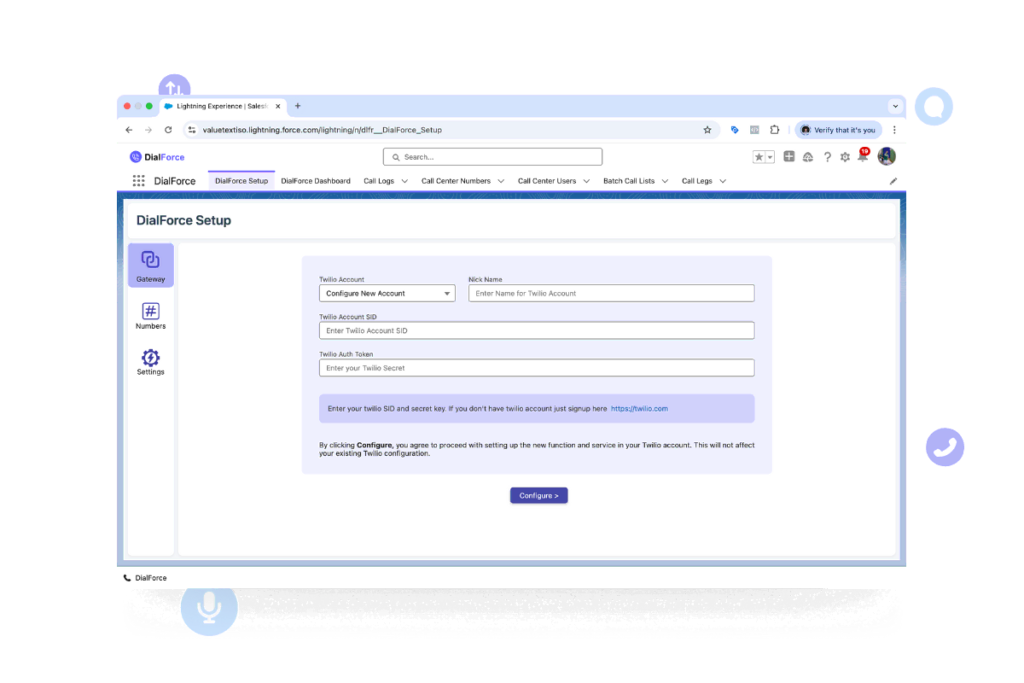
Configure everything with clicks, not code. Assign numbers, manage roles, set compliance, and update routing directly inside Salesforce.

Salesforce setup screen showing DialForce integration with Twilio account configuration and number assignment.

Real-Time Visibility

Track performance with native Salesforce dashboards. Monitor call volumes, answer rates, and recordings, with drill-down by agent or team.
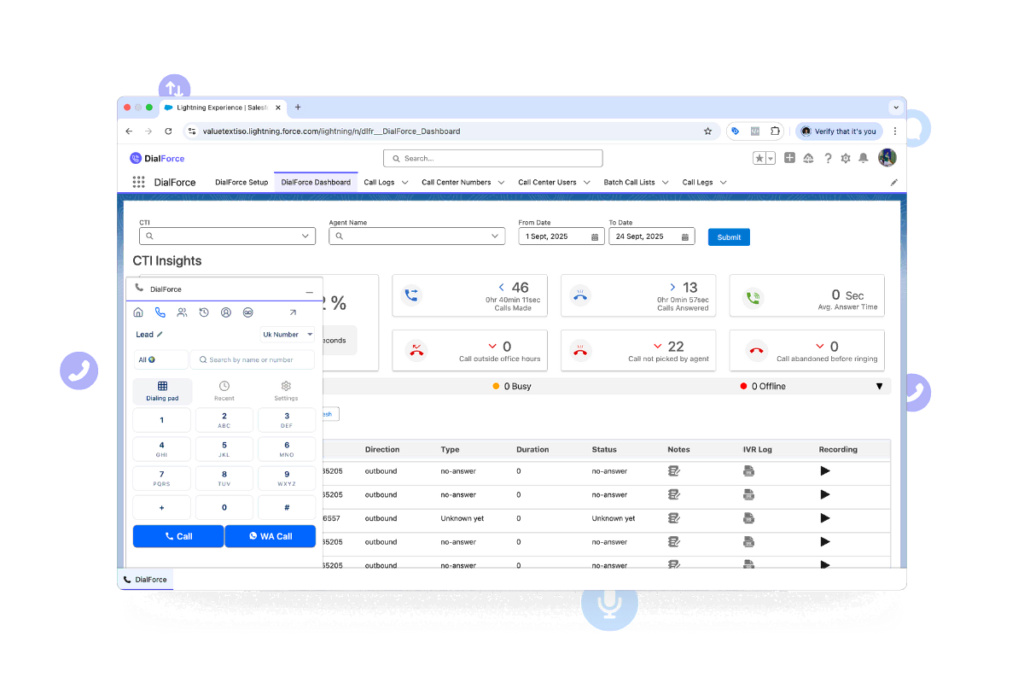
Salesforce dashboard with CTI insights, call history, and live monitoring features.

Everything You Need to Run
a Contact Center in Salesforce

From live calls to detailed reports, manage it all without leaving Salesforce.

All-in-One
Agent Panel

Give reps everything they need in one Pannel without switching the multiple tabs. Calls, transfers, recordings, and messages are tied to the right lead, case, or opportunity.

Salesforce in-call panel showing transfer options, notes, SMS/MMS, and related record linking.

The Right Agent,
Every Time

Route calls by skills, queues, record ownership, last answered agent, or round robin assignment. Business hours and offline settings ensure customers always reach support.

Salesforce routing configuration screen showing priority options for call handling.

Built for Salesforce Admins

Configure everything with clicks, not code. Assign numbers, manage roles, set compliance, and update routing directly inside Salesforce.

Salesforce setup screen showing DialForce integration with Twilio account configuration and number assignment.

Real-Time Visibility

Track performance with native Salesforce dashboards. Monitor call volumes, answer rates, and recordings, with drill-down by agent or team.

Salesforce dashboard with CTI insights, call history, and live monitoring features.

Add WhatsApp to Your Contact Center

WhatsApp Business Calling

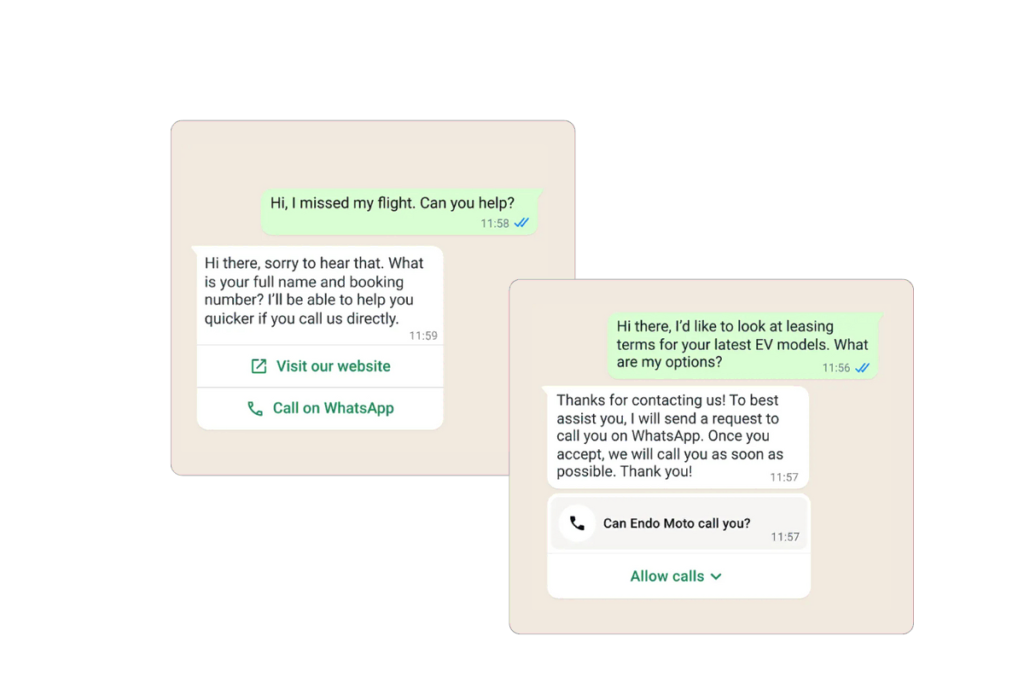
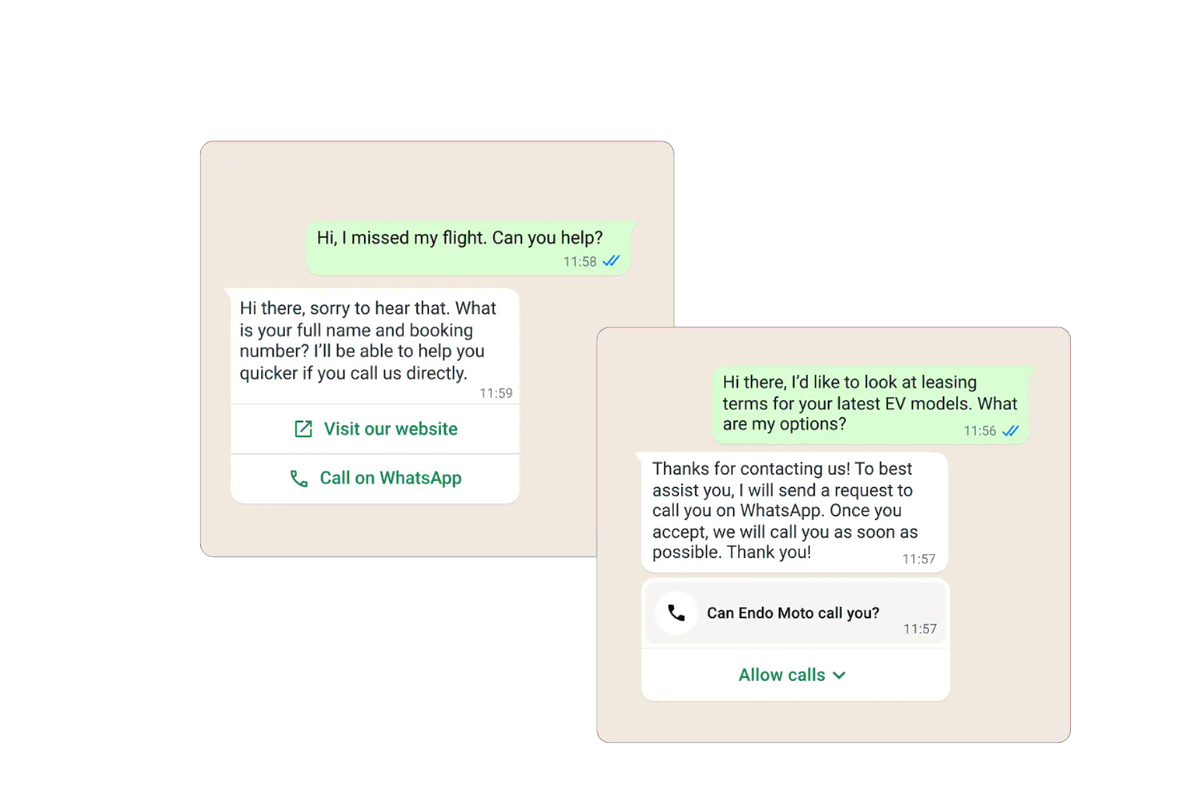
Reach customers on the world’s most popular channel with native WhatsApp Business voice calling — fully integrated into Salesforce.

Example of WhatsApp Business calling workflow, showing call request and quick call options integrated with Salesforce.

Supported on Salesforce Mobile

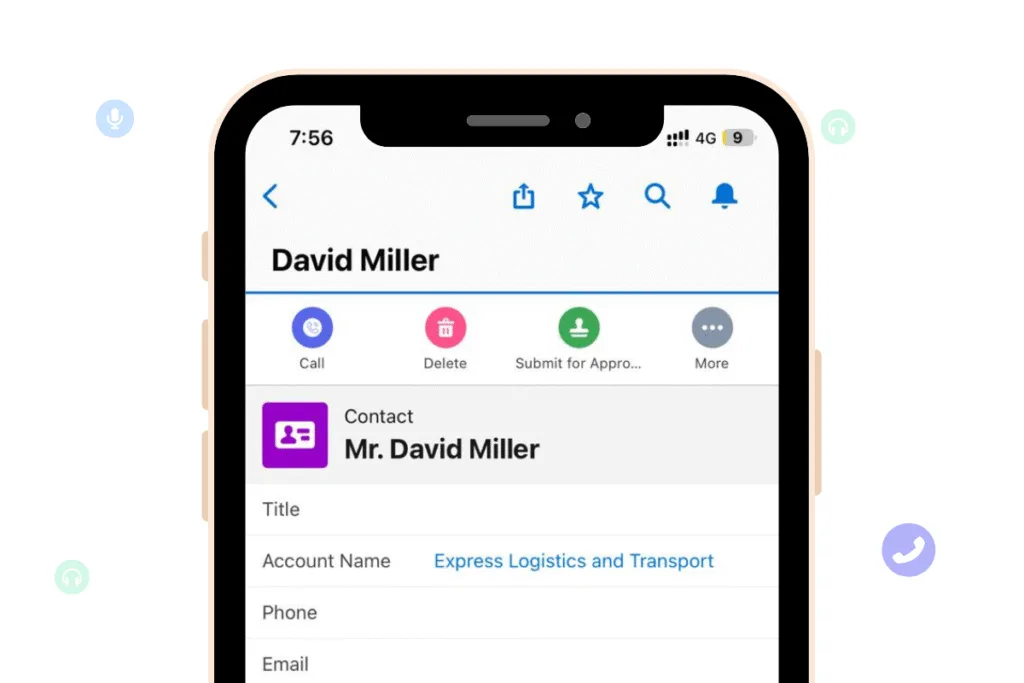
Make calls directly from Salesforce's mobile app

Give your team and your customers full freedom — DialForce now enables WhatsApp Business Calling directly from mobile devices.

Example of WhatsApp Business calling workflow, showing call request and quick call options integrated with Salesforce.

Add WhatsApp to Your Contact Center

WhatsApp Business Calling

Reach customers on the world’s most popular channel with native WhatsApp Business voice calling — fully integrated into Salesforce.

From Zero to Native CTI in Under 5 Minutes

It takes just three steps to activate DialForce inside your Salesforce org — no code, no confusion.

1

Connect Your Twilio AccountPaste your Twilio auth keys securely. Bring your own numbers or purchase new ones from Twilio.

2

Assign Users & RolesSelect who can make calls, access logs, and route leads — using standard Salesforce profiles and permissions.

3

Start Calling Inside SalesforceOpen any lead, contact, or case — the Smart Panel is ready to go. Start calling with one click.

Security, Privacy, and Compliance — Built In

DialForce logs, stores, and secures all voice data inside your Salesforce org — with full audit trails, encryption, and access controls baked in.

Own Your Voice Data

All call logs, recordings, and activity histories are stored directly inside your Salesforce records — no syncing, no external storage.

Role-Based Access

DialForce respects Salesforce permission sets, so only the right users can access call data, recordings, or routing configs.

Audit Trails & Logs

Track every agent action, config change, and call event. Ideal for regulated industries like finance, healthcare, and education.

GDPR & CCPA Ready

Easily export or delete call data tied to a record. Regional compliance controls supported via Twilio region selection.

Already Powering Teams Like Yours

Sales, support, and RevOps teams rely on DialForce to simplify voice and get back time.

Frequently Asked Question

Built natively for Salesforce Admins — and fully backed by our team. You’re not in this alone.

No. If you’re a Salesforce Admin, you’ll be fully comfortable configuring DialForce. Setup takes ~10 minutes, and we guide you through each step.

A Salesforce org and a Twilio account. That’s it. DialForce installs from the AppExchange and connects securely to Twilio via OAuth.

Yes — use Salesforce Flow to build routing rules based on owner, round robin, time, or even custom object logic.

Yes. All data lives within Salesforce and your Twilio account. We’re GDPR and CCPA-ready, and support field-level encryption, audit logs, and permission controls.

You retain your Twilio numbers, call logs, and setup. You’re never locked in. DialForce is non-invasive and doesn’t overwrite or extract data.

Yes — our team is available to help you get up and running, and we offer 24/7 support during and after onboarding.→ Request a Demo

Start Calling Smarter — Right Inside Salesforce

Prefer a walkthrough? We’ll guide you step-by-step.

Get Started with DialForce

Fill out the form below and we’ll guide you through installation.